
VR Shop Simulator Games: 10 Exciting Features
Imagine walking into a small virtual shop.
The shelves are nearly empty, several products are waiting to be organized, and customers are beginning to arrive.
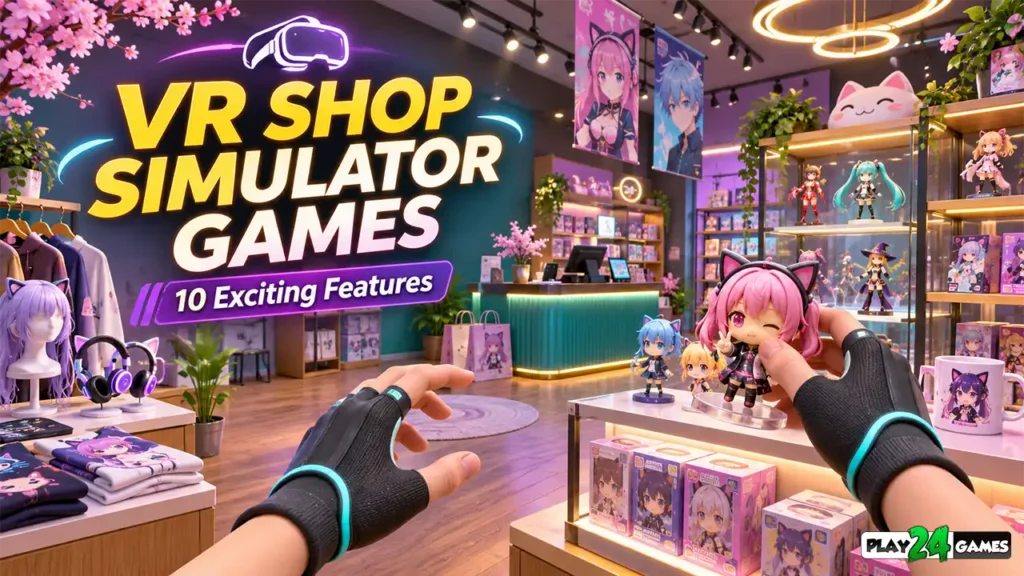
Instead of tapping buttons on a screen, you look around the store, reach toward an item, and place it on a shelf using your VR controllers.
You turn toward the checkout counter and prepare to serve your first customer.
Suddenly, managing a store feels less like navigating menus and more like participating in a miniature virtual world.
This is part of the appeal of VR Shop Simulator Games.
Traditional business simulation games have entertained players for years through resource management, upgrades, and progression.
Virtual reality introduces another dimension: physical interaction.
A task as simple as organizing merchandise can become satisfying when players directly manipulate objects inside a three-dimensional environment.
However, successful VR store management experiences require more than interactive shelves.
Good simulation games combine clear objectives, rewarding progression, comfortable controls, attractive environments, and meaningful player decisions.
Whether you’re discovering VR simulation games for the first time or already enjoy virtual business management, understanding these features can help you recognize what makes the genre entertaining.
Here are ten exciting elements that can make VR shop simulators enjoyable.
1. Hands-On Product Interaction
One of the biggest differences between conventional store simulators and VR experiences is how players interact with merchandise.
In a traditional mobile game, stocking a shelf might involve tapping an item and selecting a destination.
In VR, developers can design that action around physical movement.
Picking Up Virtual Products
Players may use motion controllers to reach toward an object, grab it, and move it to another location.
When implemented well, this creates a sense of direct participation.
The player is no longer simply instructing a character to perform an action.
They are performing a virtual version of that action themselves.
Why Small Interactions Matter
Consider placing a colorful toy on a display shelf.
The task is simple, but the experience can feel satisfying when the object responds naturally to hand movement.
Good interaction design also considers how objects are released, rotated, and positioned.
If products repeatedly fall through shelves or become difficult to grab, the experience can quickly become frustrating.
What Players Should Look For
Responsive grabbing, predictable object placement, and clear visual feedback make virtual interactions easier to understand.
The best interaction systems feel consistent.
Once players learn how to pick up one object, they should be able to use similar controls throughout the store.
2. Creative Store Customization
Store customization gives players an opportunity to express their preferences.
Instead of managing a fixed environment, they can gradually shape a space that feels personal.
Choosing a Store Theme
A virtual shop might specialize in groceries, toys, electronics, fashion, collectibles, or fantasy merchandise.
Each theme creates different opportunities for visual design.
For example, an anime-inspired cosplay store could use colorful decorations, collectible displays, themed products, and attractive interior arrangements.
Arranging the Interior
Customization may involve positioning shelves, choosing decorative objects, adjusting display layouts, or unlocking additional areas.
These features can turn the store itself into a long-term creative project.
Why Customization Encourages Engagement
Players often enjoy seeing how their environment changes over time.
An empty store gradually becoming a busy, decorated business creates a visible sense of accomplishment.
Customization can also support different play styles.
Some players may prioritize efficient layouts, while others prefer visually attractive arrangements.
Neither approach needs to be objectively correct.
A flexible system allows players to develop their own style.
3. Satisfying Shelf Stocking and Inventory Organization
Organizing merchandise is a central activity in many retail simulation games.
It may sound repetitive, but carefully designed stocking systems can be surprisingly engaging.
Turning Organization Into Gameplay
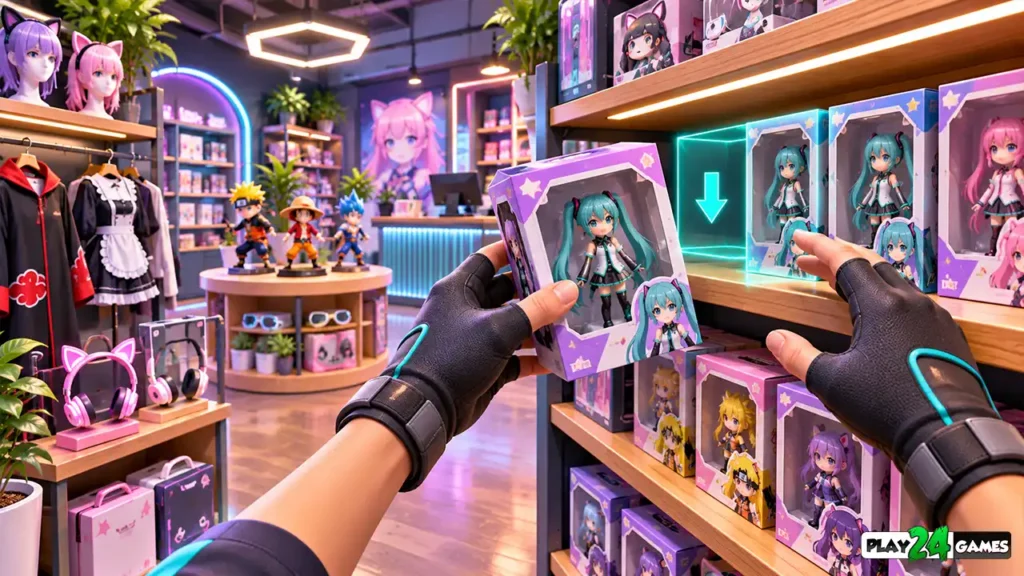
Imagine receiving a delivery containing different products.
The player needs to identify the correct shelves, arrange the merchandise, and prepare the store for customers.
The activity combines observation, planning, and object interaction.
Visual Satisfaction
Well-organized shelves provide immediate visual feedback.
Players can see the results of their work.
This makes stocking particularly suitable for relaxed simulation experiences.
Avoiding Unnecessary Repetition
A good system should gradually introduce variety.
New product categories, different packaging, additional shelf types, and changing store requirements can keep the activity interesting.
However, adding complexity too quickly can overwhelm new players.
The most enjoyable progression often begins with straightforward tasks before introducing additional responsibilities.
Inventory Management
Some store simulators also require players to monitor stock levels.
Running out of popular products may affect customer satisfaction or sales.
This adds a strategic layer to physical organization.
Players must decide what to restock and when.
4. Customer Interactions That Make the Store Feel Alive
A virtual shop becomes more interesting when it feels occupied.
Customers can transform an otherwise static environment into a functioning business.
Customer Movement
NPC customers may enter the store, browse shelves, select products, and approach the checkout counter.
Even relatively simple behaviors can make a virtual environment feel active.
Customer Preferences
Different customers may want different products.
Some might prefer inexpensive items, while others look for collectibles or premium merchandise.
These preferences can create meaningful management decisions.
Customer Feedback
Clear reactions help players understand how their decisions affect the store.
For example, a customer might respond positively when a requested product is available.
However, feedback should be easy to interpret.
Players shouldn’t need to guess why a customer is unhappy.
Balancing Realism and Enjoyment
Real retail work can involve long periods of repetition.
A game doesn’t need to reproduce every detail.
Instead, developers can focus on the enjoyable parts of customer service and business management.
The goal is to create interesting decisions without unnecessary frustration.
5. Rewarding Business Progression
Progression gives players a reason to continue developing their virtual stores.
Without meaningful goals, even enjoyable interactions may eventually become repetitive.
Starting Small
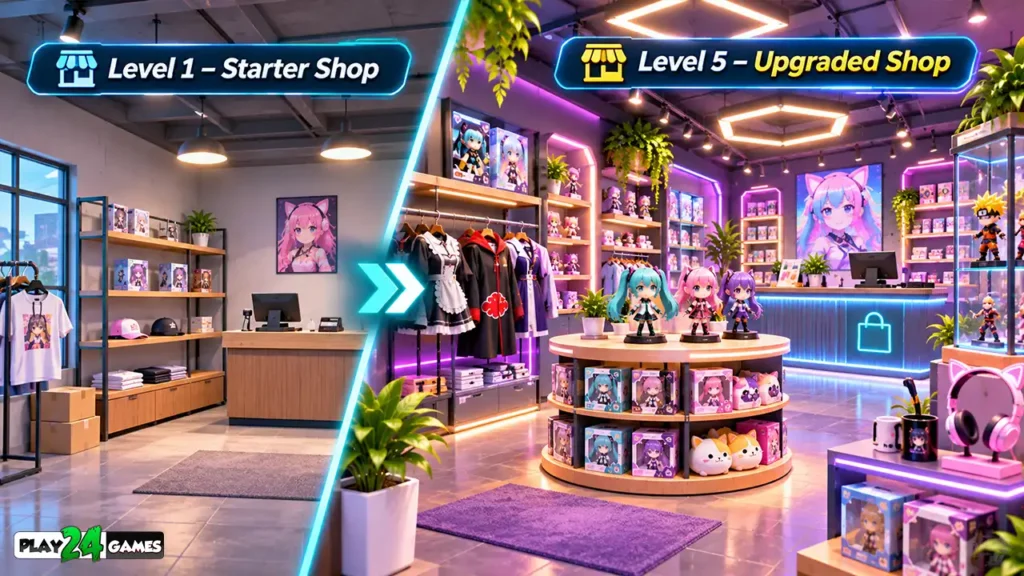
Many simulation games begin with limited resources.
Players may have a small shop, a few products, and basic equipment.
This creates a clear starting point.
Earning and Reinvesting
As players complete tasks, they may earn virtual currency.
That currency can be used to purchase products, unlock equipment, or improve the store.
This creates a gameplay loop:
Manage the store → Earn rewards → Make improvements → Unlock new opportunities.
Meaningful Upgrades
Upgrades should produce noticeable benefits.
For example, purchasing additional shelving might allow the player to display more products.
Unlocking a new department could introduce an entirely different merchandise category.
Avoiding Excessive Grinding
Progression becomes less satisfying when players must repeat identical tasks for too long.
A well-balanced simulator introduces new goals at a reasonable pace.
Rewards should feel connected to the player’s actions.
6. Immersive Store Environments
Visual presentation plays an important role in VR simulation games.
Because players can look around freely, environments need to remain convincing from multiple angles.
Environmental Details
Shelves, counters, signs, lighting, decorative objects, and merchandise all contribute to the atmosphere.
A cozy collectible shop might use warm lighting and colorful displays.
A futuristic electronics store could feature clean surfaces, bright accent lighting, and modern equipment.
The Importance of Scale
Objects should feel appropriately sized relative to the player.
A counter that appears unusually tall or a product that feels too small can reduce immersion.
Spatial Audio
Sound can reinforce the impression of being inside a real location.
Subtle footsteps, checkout sounds, ambient music, and object interactions can help establish the environment.
However, excessive audio effects may become distracting.
Performance Matters
Attractive graphics should not come at the expense of a comfortable VR experience.
Consistent performance, responsive tracking, and readable visuals are essential.
A beautiful environment becomes less enjoyable if gameplay feels unstable.
7. Comfortable VR Controls and Movement
Comfort is especially important in virtual reality.
Unlike traditional games, VR experiences can involve physical movement, head tracking, and artificial locomotion.
Standing and Seated Gameplay
Some players prefer standing while interacting with virtual objects.
Others may prefer seated experiences.
Where the game’s design permits, supporting different play styles can improve accessibility.
Reaching and Interaction Distance
Frequently used objects should be placed where players can interact comfortably.
Requiring constant stretching, bending, or awkward reaching can make gameplay tiring.
Movement Options
Different VR games use different movement systems.
Teleportation allows players to move between locations without continuous simulated motion.
Smooth locomotion provides continuous virtual movement but may be uncomfortable for some users.
Neither option is ideal for everyone.
Meta’s official VR comfort design guidance discusses stationary interaction, room-scale movement, and the importance of reducing visual-motion conflicts. GitHub
Preparing a Safe Play Area
Players should clear nearby obstacles and follow their headset’s boundary setup instructions.
The CDC VR Setup Guide also recommends preparing an unobstructed play area before using VR equipment. reach.cdc.gov
Comfortable controls allow players to focus on managing their stores rather than struggling with movement.
8. Interactive Checkout and Payment Systems
Checkout activities can create satisfying moments of interaction.
They also provide a natural conclusion to the customer shopping process.
Scanning Products
A VR checkout system might allow players to pick up products, move them across a scanner, and place them into a shopping bag.
These actions can feel engaging when the controls are responsive.
Handling Payments
Some games may introduce virtual cash registers, payment terminals, or simplified payment interactions.
These systems can add variety to the management experience.
Maintaining a Good Pace
Checkout gameplay should match the intended audience.
A relaxed simulator might use straightforward interactions.
A more challenging management game could introduce time pressure or multiple customers.
Avoiding Frustrating Controls
Small buttons and precise hand movements can be difficult in VR.
Developers should provide appropriately sized interaction targets and clear feedback.
Players should understand when an item has been scanned or a transaction has been completed.
9. New Products, Departments, and Unlockable Content
Content variety helps a shop simulator remain interesting beyond the first few sessions.
Unlocking Merchandise
Players may begin with basic products and gradually gain access to more specialized items.
For example, a collectible shop could introduce different categories of figures, accessories, costumes, and decorative merchandise.
Expanding the Store
New departments create opportunities for additional gameplay systems.
A larger store might require different inventory arrangements or more careful planning.
Introducing New Objectives
Objectives can help guide players through new content.
Examples include organizing a new display, completing a customer request, or preparing a newly unlocked department.
Balancing Content Growth
More products do not automatically mean better gameplay.
Each new category should provide a meaningful visual or mechanical difference.
Players should feel that the store is evolving rather than simply becoming more crowded.
10. A Relaxing but Engaging Gameplay Loop
Not every simulation game needs intense competition.
Some players enjoy virtual environments because they offer a slower, more creative experience.
The Appeal of Routine
Organizing products, decorating shelves, and completing small tasks can create a predictable rhythm.
For players who enjoy structured activities, this can be part of the appeal.
Clear Goals
Relaxing gameplay still benefits from direction.
Simple objectives help players understand what to do next.
Freedom to Experiment
Players may enjoy rearranging their stores or trying different layouts.
Allowing experimentation can make the experience feel less restrictive.
A Sense of Ownership
As the store grows, players develop a connection with the environment they have created.
Their decisions become visible in the virtual space.
This sense of ownership can be one of the most satisfying aspects of a management simulator.
How VR Shop Simulator Games Differ From Traditional Store Simulators
Traditional and VR store management games often share similar goals.
Players organize merchandise, earn currency, improve their businesses, and unlock additional content.
The main difference is how those activities are experienced.
| Feature | Traditional Store Simulator | VR Shop Simulator |
|---|---|---|
| Product Interaction | Mouse, keyboard, or touchscreen | Motion controllers or supported hand interactions |
| Camera Perspective | First-person, third-person, or fixed | Head-tracked immersive perspective |
| Store Exploration | Conventional camera movement | Head tracking and VR locomotion |
| Object Placement | Drag-and-drop or button controls | Spatial manipulation |
| Environment Awareness | Screen-based | Immersive three-dimensional viewing |
| Comfort Requirements | Conventional screen ergonomics | VR-specific movement and physical-space considerations |
Neither format is automatically superior.
Traditional games can offer greater convenience, while VR can make certain physical interactions more engaging.
The best experience depends on the player’s preferences.
Exploring Store Simulator Cosplay Shop on Meta Quest
Play24Games develops VR experiences alongside its mobile game portfolio.
One of its published VR titles is Store Simulator Cosplay Shop.
The game is presented as an anime-inspired virtual store management experience in which players can explore the theme of operating and growing a cosplay-focused retail business.
Its setting provides a distinctive alternative to conventional supermarket simulation themes.
Instead of focusing exclusively on everyday groceries, a cosplay-inspired shop can offer an atmosphere built around fandom culture, themed merchandise, and colorful retail environments.
For players interested in this genre, the title provides a relevant example of Play24Games’ involvement in VR simulation development.
Explore the game through the Play24Games official website.
Editorial clarification: The ten gameplay features discussed in this article describe the wider VR shop simulator genre. They should not all be interpreted as confirmed features of Store Simulator Cosplay Shop. Its current gameplay functionality should be checked against the live game build and store listing before adding specific feature claims.
Tips for Enjoying VR Shop Simulator Games
If you’re new to virtual shop management, begin by learning the basic controls.
Practice grabbing, placing, and releasing objects before attempting more complicated tasks.
Pay attention to the game’s progression system so you understand how currency, inventory, and upgrades work.
When arranging merchandise, consider whether the layout makes products easy to find and interact with.
If the game supports store customization, experiment with different arrangements.
For VR comfort, start with manageable sessions and take breaks whenever necessary.
Finally, remember that simulation games don’t always need to be played competitively.
Sometimes the most enjoyable approach is simply building and organizing a virtual space at your own pace.
Common Mistakes to Avoid
One mistake is trying to perform every task too quickly before understanding the controls.
Another is ignoring inventory organization and allowing the store to become unnecessarily difficult to manage.
Players may also spend virtual currency without considering which upgrades will help them progress.
In VR, physical comfort matters too.
Avoid playing in a cluttered area or ignoring signs of discomfort.
The goal is to enjoy the experience while maintaining control over both the virtual environment and your physical surroundings.
Conclusion
VR Shop Simulator Games combine familiar business-management mechanics with immersive virtual reality interactions.
Hands-on product handling, store customization, inventory organization, customer interactions, and rewarding progression can make virtual retail experiences enjoyable.
Comfortable controls and well-designed environments are equally important.
The strongest experiences balance creativity, management, and accessible interaction rather than relying on visual immersion alone.
For players interested in anime-inspired retail simulation, Play24Games’ Store Simulator Cosplay Shop offers a relevant title to explore.
Visit Play24Games to discover the studio’s VR and mobile game portfolio.
Frequently Asked Questions
What are VR shop simulator games?
VR shop simulator games are virtual reality experiences built around activities such as organizing merchandise, managing inventory, customizing stores, and interacting with virtual retail environments.
Can you play shop simulator games on Meta Quest?
Yes. Compatible VR shop simulator games are available for Meta Quest headsets. Availability and supported features depend on the individual title and headset model.
Are VR shop simulators suitable for beginners?
Some are beginner-friendly, particularly when they provide clear tutorials, simple controls, and comfortable movement options. Players should review each game’s requirements and comfort information.
What makes a good VR store management game?
Responsive interactions, meaningful progression, readable interfaces, attractive environments, and comfortable controls are important qualities.
Are VR shop simulator games different from mobile supermarket games?
Yes. Although they may share similar management mechanics, VR games use immersive head-tracked environments and spatial interactions rather than relying exclusively on conventional touchscreen controls.