

VR Shop Simulator Games on Meta Quest: Complete Guide
Imagine opening a small supermarket in a video game.
You purchase products, organize shelves, serve customers, and gradually expand your business.
On a smartphone, you might accomplish these tasks by tapping buttons, dragging objects, and navigating menus.
Now imagine stepping inside that same supermarket.
Instead of watching your character arrange products, you stand in front of a shelf, reach toward a box, pick it up, and place it where it belongs.
You can look around the store, examine merchandise from different angles, and experience the environment at a more natural scale.
This is the appeal of VR shop simulator games.
Virtual reality changes how players interact with familiar simulation mechanics. Activities that normally require simple screen inputs can become physical, spatial interactions.
For players who enjoy supermarket simulators, business-management games, and relaxing virtual environments, VR offers another way to experience these activities.
But how do shop-management games actually work in virtual reality? What changes when moving from mobile gaming to Meta Quest? And what should players look for in a comfortable, enjoyable VR simulator?
This guide explores the gameplay mechanics, interaction systems, and design choices that make virtual shop simulation different from traditional gaming.
1. What Are VR Shop Simulator Games?
VR shop simulator games are virtual reality experiences built around operating, organizing, or managing a fictional retail business.
Depending on the game, players may interact with merchandise, organize displays, manage inventory, serve customers, or develop their store over time.
The underlying mechanics are similar to those found in traditional business simulation games.
The main difference is how players experience them.
Traditional Simulation vs. Virtual Reality
In a conventional mobile shop simulator, players interact with the game through touchscreen controls.
They may select a product, press an interaction button, or open an inventory menu.
In VR, developers can represent those same actions through spatial interactions.
For example, a player may reach toward a virtual product and manipulate it using supported motion controllers or hand tracking.
The game responds to the player’s movements, creating a more direct relationship between actions and the virtual environment.
Not every VR shop simulator supports every interaction method. Available features depend on the game’s design and supported hardware.
2. Why Everyday Store Activities Feel Different in VR
One interesting aspect of virtual reality is how ordinary activities can become more engaging when experienced from a first-person perspective.
Consider a simple task such as arranging cereal boxes.
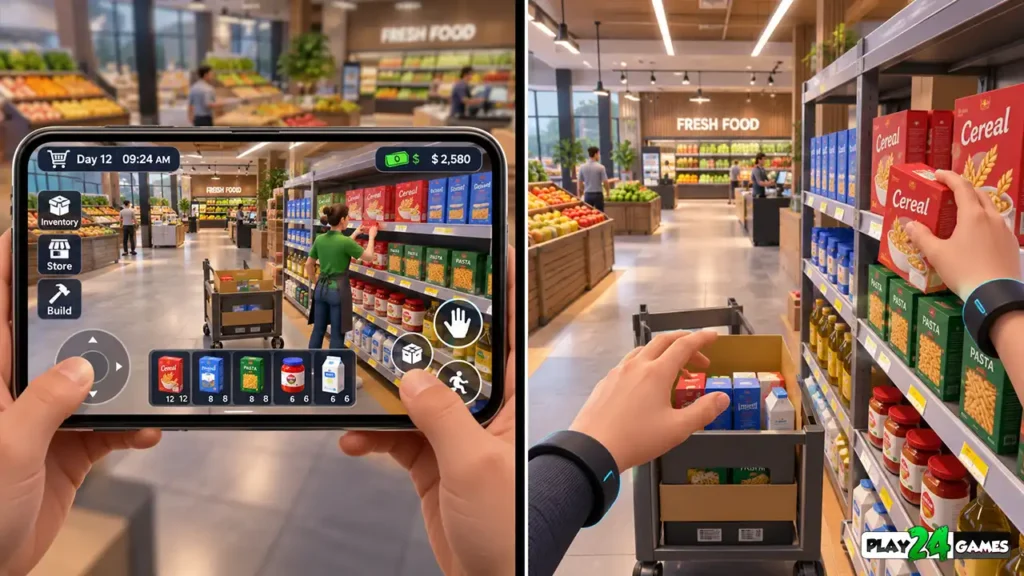
On a smartphone, the task may involve selecting an item and moving it into a designated shelf position.
In VR, the player can potentially examine the box, turn it around, and place it on the shelf using a virtual hand or controller.
Physical Interaction Changes the Experience
The task itself hasn’t fundamentally changed.
The objective is still to organize merchandise.
However, the interaction now involves positioning, distance, orientation, and spatial awareness.
This can make familiar activities feel more tangible.
Small Details Become More Noticeable
Virtual reality also changes how players observe environments.
A product placed near the edge of a shelf may be easier to notice when examining the display from different angles.
Store decorations, lighting, counter arrangements, and environmental details can contribute to the feeling of occupying a fictional retail space.
The effectiveness of these details depends on the game’s visual quality, performance, and interaction design.
3. How Grabbing and Placing Objects Works in VR
Object interaction is one of the most important mechanics in many VR simulation games.
Players need a way to select, hold, move, and release virtual items.
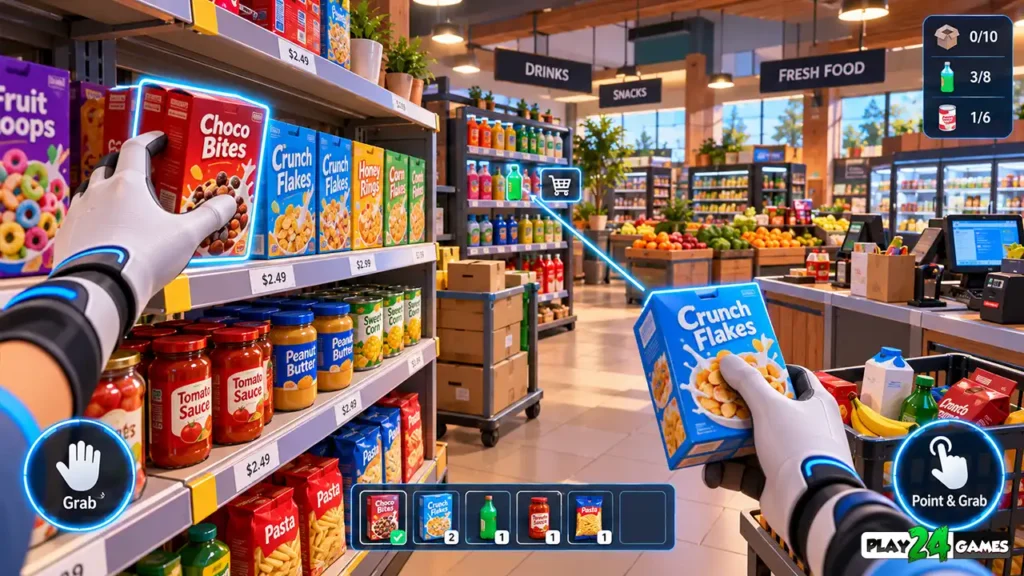
Direct Object Interaction
Direct interaction involves reaching toward an object that appears within the player’s immediate virtual reach.
Depending on the game, players may use a controller grip button or a supported hand gesture.
For example, a player might pick up a product box from a delivery table and place it onto a nearby shelf.
Distance Interaction
Some games allow players to interact with objects beyond normal arm’s reach.
A virtual pointer or distance-grab system can help select an object without physically approaching it.
This can be particularly useful when interacting with high shelves or distant objects.
Meta’s official interaction guidelines describe both direct and indirect grabbing methods, including controller-based and hand-based interactions. Meta for Developers
Why Interaction Feedback Matters
A well-designed VR game should help players understand whether an object can be picked up.
Useful feedback can include highlighting, controller vibration, sound effects, or a visible change in the object’s appearance.
Without clear feedback, players may struggle to determine whether an interaction has been recognized.
4. Stocking Shelves Becomes a Spatial Challenge
Shelf stocking is a familiar mechanic in supermarket simulation games.
In VR, the same activity can introduce additional considerations.
Players may need to position themselves correctly, identify available shelf space, and orient products before placing them.
Organizing Merchandise
Imagine a virtual supermarket with several product categories.
The player receives a delivery containing beverages, packaged food, and household products.
A VR implementation could allow the player to move between displays and place products in their appropriate locations.
Instead of relying entirely on inventory menus, the player can interact with merchandise directly.
Why Good Controls Are Essential
Detailed interaction can be satisfying, but unnecessary complexity can make repetitive tasks frustrating.
If players must repeatedly bend down to retrieve dropped products or struggle to reach distant shelves, the activity may become tiring.
Meta’s May 11, 2026 game-design guidance recommends providing convenient ways to retrieve dropped objects and reducing unnecessary physical strain. Meta for Developers
For players, this means interaction convenience is an important feature to consider when choosing a VR simulator.
5. Store Management Goes Beyond Picking Up Products
A shop simulator needs more than realistic object handling.
The management systems give players meaningful goals.
Depending on the game, these systems may include inventory purchasing, product pricing, customer service, upgrades, and store expansion.
Managing Inventory
In a traditional simulation game, inventory management often involves menus containing product quantities and prices.
A VR game can combine these interfaces with physical interactions.
For example, a player might use a virtual management panel to order supplies and then organize delivered merchandise inside the store.
Serving Virtual Customers
Customer interactions can also benefit from spatial presentation.
Instead of simply selecting a customer icon, a player may interact with a virtual checkout counter or customer-service area.
The precise mechanics depend on the game.
Progression Creates Long-Term Goals
A shop-management experience becomes more meaningful when individual tasks contribute to broader progression.
Earning virtual currency, unlocking decorations, introducing new products, and expanding the store can give players reasons to return.
However, progression should complement the interaction experience rather than turn every activity into repetitive work.
6. VR Shop Simulators Can Support Relaxing Gameplay
Not every virtual reality game needs fast combat, competitive multiplayer, or intense movement.
Some players prefer experiences built around exploration, creativity, and gradual progression.
Shop-management simulations can support this type of gameplay.
Clear Objectives and Familiar Activities
Tasks such as arranging products or decorating a store are generally easy to understand.
They also provide visible progress.
A player can begin with an empty shelf and gradually fill it with merchandise.
Completing a recognizable task can create a sense of accomplishment without requiring complex combat mechanics.
Comfort Still Matters
A relaxing theme doesn’t automatically guarantee a comfortable VR experience.
Movement speed, camera behavior, interaction distances, and frame-rate stability all influence comfort.
Players should check the available movement options and choose settings appropriate to their preferences.
For a broader introduction, read the Play24Games Meta Quest VR Beginner’s Guide.
7. Movement and Navigation Inside Virtual Stores
Players need to move between shelves, storage areas, counters, and other locations.
Virtual reality games can provide several movement methods.
Teleport Movement
Teleportation allows players to select a destination and move there without displaying continuous travel.
This can be useful for players who find artificial movement uncomfortable.
However, sudden changes in viewpoint can also feel disorienting for some people.
Smooth Movement
Smooth movement allows players to travel continuously using supported controls.
This can provide more freedom when exploring a virtual store.
However, continuous artificial movement can contribute to motion discomfort.
Turning Options
Games may support snap turning, smooth turning, or physical turning within the available play space.
Meta’s locomotion guidance, updated September 8, 2026, recommends allowing players to choose movement and turning methods according to their comfort preferences. Meta for Developers
These options are generally implemented by individual games rather than controlled through one universal headset setting.
8. Why VR Menus Need a Different Design
Traditional mobile interfaces are usually displayed on a flat screen.
VR interfaces exist within a three-dimensional environment.
This creates different design requirements.
Spatial Interface Panels
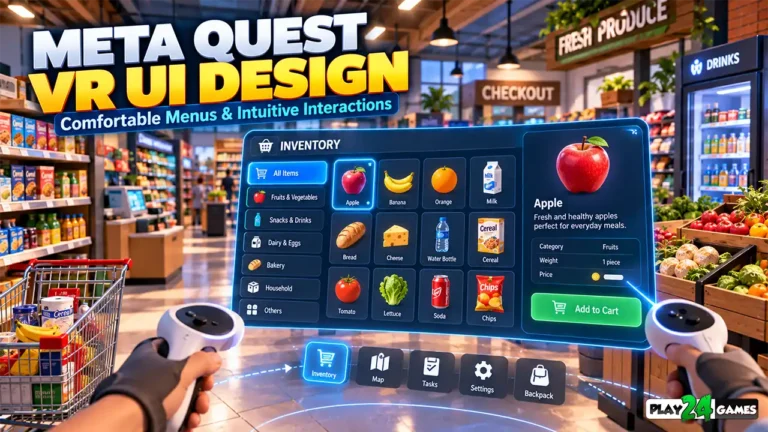
A VR shop simulator might display inventory information on a virtual tablet, wall-mounted panel, or floating menu.
The interface should remain readable without requiring players to move their heads excessively.
Clear Information Hierarchy
Important information may include available currency, active objectives, product quantities, and store upgrades.
Presenting too much information simultaneously can overwhelm the player.
Instead, interfaces should prioritize the information needed for the current activity.
Accessible Controls
Buttons should be large enough to select comfortably and positioned where players can reach or target them.
Meta’s official comfort guidance emphasizes readable content, appropriate scale, and minimizing unnecessary physical movement when interacting with virtual interfaces. Meta for Developers
For players, clear menus can make a significant difference when learning a new VR simulator.
9. Mobile vs. VR Shop Simulator Games: Key Differences
Mobile and VR versions of a simulation game may share similar management objectives.
However, the way players interact with those objectives can differ considerably.
| Feature | Mobile Shop Simulator | VR Shop Simulator |
|---|---|---|
| Display | Smartphone or tablet screen | Immersive headset display |
| Interaction | Touchscreen controls | Supported controllers or hand interactions |
| Product Handling | Buttons and virtual movement | Potential direct or distance grabbing |
| Store Exploration | On-screen camera controls | Head-tracked first-person perspective |
| Inventory Management | Flat menus and panels | Spatial or floating interfaces |
| Physical Activity | Generally limited | Varies by movement and interaction design |
| Play Space | Minimal physical movement required | Requires a suitable physical play area |
| Comfort Considerations | Screen readability and touch usability | Headset fit, movement, interaction comfort, and visual stability |
Neither format is automatically better.
Mobile gaming is convenient for shorter sessions and situations where players don’t want to wear a headset.
VR can provide a stronger sense of spatial presence and more direct interaction.
The preferred experience depends on the player’s interests, equipment, and comfort.
10. What Makes a Good VR Shop Simulator?
An attractive environment alone doesn’t guarantee enjoyable gameplay.
The interaction systems must also feel understandable and consistent.
Responsive Object Handling
Players should be able to identify interactive objects and manipulate them without excessive difficulty.
Unclear grabbing mechanics can make simple tasks frustrating.
Meaningful Management Systems
The game should provide objectives beyond moving objects from one location to another.
Progression, customization, and store-management decisions can add variety.
Comfortable Navigation
Players benefit from movement options that suit their preferences.
Games with extensive environments should also provide clear navigation and orientation cues.
Readable Interfaces
Inventory screens, objectives, and management controls should remain understandable within the headset.
Stable Performance
Consistent rendering is particularly important in VR because visual instability can interfere with comfort.
Meta’s performance documentation explains how missed frame deadlines can cause the headset to display previous frames or use other recovery mechanisms. Meta for Developers
Players should look for experiences that balance visual quality with responsive interaction.
11. Play24Games and VR Shop Simulation
At Play24Games, simulation games are an important part of our mobile and VR development direction.
Our announced projects include two different shop-management concepts being adapted for immersive virtual reality.
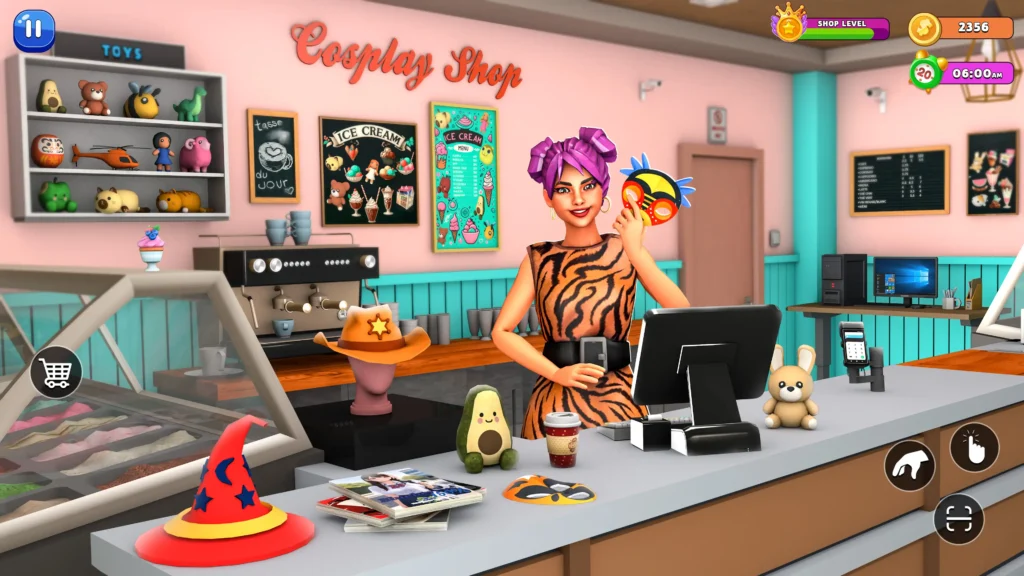
Cosplay Shop Simulator VR
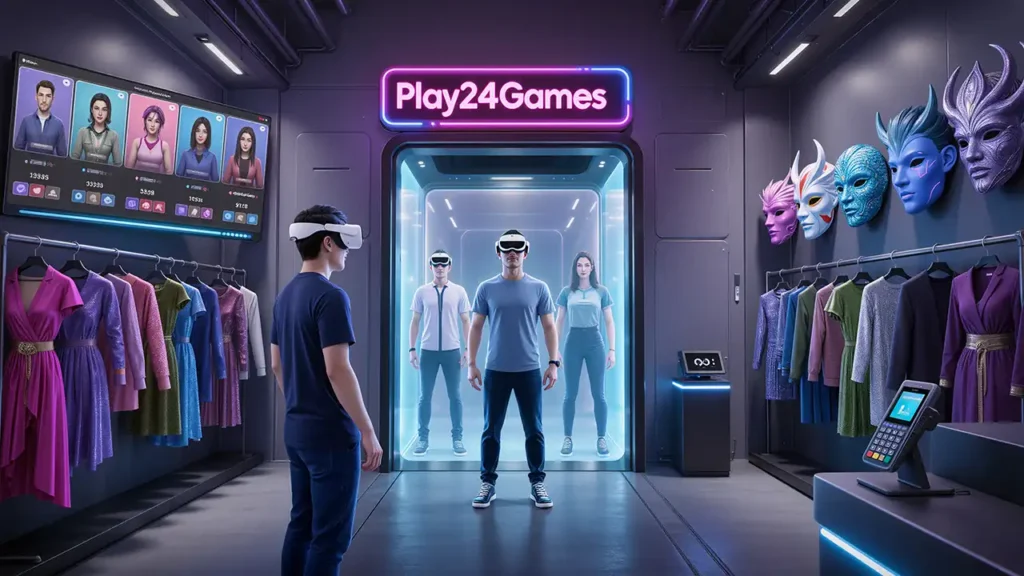
Cosplay Shop Simulator VR is an announced Meta Quest project based on an anime-inspired retail-management concept.
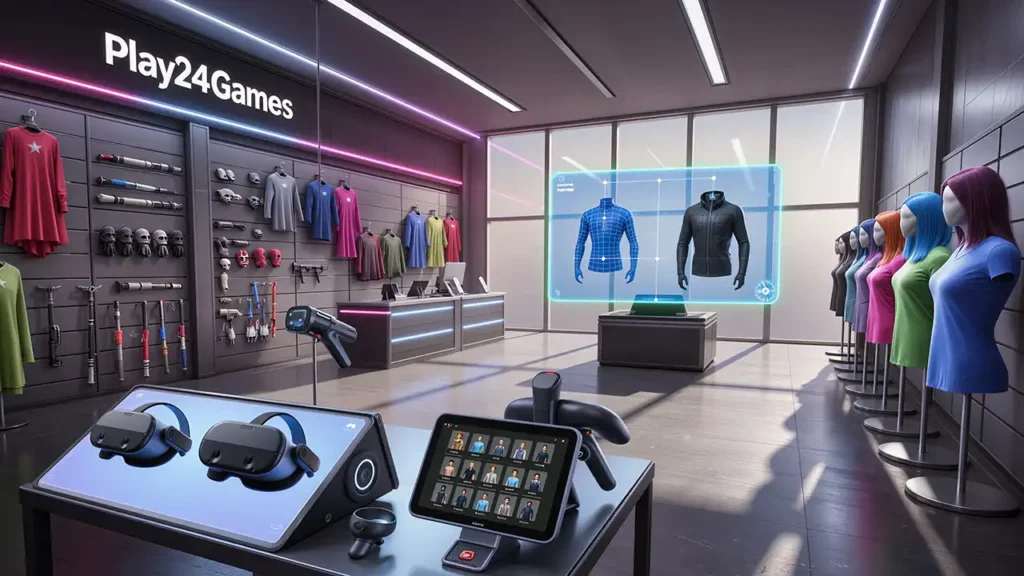
The planned experience focuses on operating a cosplay shop, organizing merchandise, interacting with products, and managing the store in a virtual environment.
The concept includes merchandise such as masks, accessories, wigs, collectibles, and decorative products.
The VR version aims to bring familiar management activities into a first-person environment.
Bakery Supermarket Simulator VR
Bakery Supermarket Simulator VR is another announced project focused on bakery and supermarket management.
Its planned gameplay includes organizing products, stocking shelves, interacting with bakery merchandise, and managing store activities.
Both projects demonstrate how different retail themes can be adapted for immersive simulation gameplay.
Release note: These descriptions reflect published project announcements. Final features, availability, and supported interactions should be confirmed through the latest official release information.
12. What Should Players Check Before Choosing a VR Shop Simulator?
Before selecting a virtual reality shop-management game, consider the experience you’re looking for.
Some players prefer detailed physical interactions, while others prioritize management systems and progression.
Check the Gameplay Features
Review the game’s description and available gameplay footage.
Look for the activities that matter most to you, such as product organization, customer interaction, store customization, or business progression.
Check Supported Controls
Determine whether the game supports motion controllers, hand tracking, or both.
Don’t assume that every Meta Quest game provides identical interaction options.
Review Comfort and Play Modes
Check whether the game supports seated or standing play and whether movement preferences can be customized.
A game that requires extensive physical movement may not suit every player.
Verify Headset Compatibility
Confirm that the game supports your specific headset model.
Also check whether it is a standalone Quest application or requires a compatible gaming PC.
Finally, review the current release status before making purchasing decisions.
Common VR Shop Simulator Mistakes to Avoid
A common mistake is expecting every interaction to work exactly like a traditional mobile game.
VR introduces different control methods, and players may need time to become familiar with object grabbing and spatial menus.
Another mistake is assuming that hand tracking is supported simply because a game includes virtual hands.
Some experiences use controller-driven virtual hands instead.
Players should also avoid ignoring comfort options when exploring larger environments.
If a movement method feels uncomfortable, use an alternative when available.
Finally, don’t judge a simulation game only by its screenshots.
The quality of object interactions, progression, controls, and performance can matter just as much as the visual presentation.
Conclusion
VR shop simulator games bring a different perspective to familiar business-management gameplay.
Instead of controlling every action through a flat screen, players can explore virtual stores, interact with merchandise, and experience everyday management tasks in three-dimensional environments.
The appeal comes from combining recognizable objectives with immersive interaction.
Stocking shelves, organizing products, managing inventory, and expanding a fictional business can become more engaging when players feel connected to the virtual space.
However, a successful VR simulator still needs clear controls, comfortable navigation, readable interfaces, and meaningful progression.
For players interested in relaxing simulation experiences, virtual reality offers another way to explore familiar game genres.
At Play24Games, we’re continuing to develop mobile and immersive gaming experiences, including announced shop-management projects for Meta Quest.
Explore our VR Games collection and follow the latest Play24Games news for future project updates.
Frequently Asked Questions
1. What is a VR shop simulator game?
A VR shop simulator is a virtual reality game focused on managing or interacting with a fictional retail business. Depending on the title, gameplay may include stocking shelves, handling products, serving customers, and upgrading a store.
2. Can I play shop simulator games on Meta Quest without a PC?
Compatible standalone Meta Quest games run directly on supported headsets without requiring a gaming PC. However, players should verify each game’s compatibility and platform requirements before purchasing.
3. Do VR shop simulators support hand tracking?
Some VR games support hand tracking, while others use motion controllers. Certain games may support both. Available interaction methods depend on the individual game.
4. Are VR shop simulator games suitable for beginners?
They can be approachable because many shop-management activities involve familiar objectives. However, comfort depends on movement systems, interaction complexity, performance, and individual preferences.
5. Are Play24Games’ shop simulator projects available on Meta Quest?
Play24Games has announced VR projects based on Cosplay Shop Simulator and Bakery Supermarket Simulator. Players should check the official VR Games page and latest announcements for confirmed availability and supported features.
[…] you’re interested in this genre, read our VR shop simulator games guide for a closer look at immersive store-management […]
[…] For more information about this genre, explore our VR Shop Simulator Games on Meta Quest guide. […]