

Meta Quest Hand Tracking vs Controllers: Which Is Better?
Imagine standing inside a virtual shop.
A colorful collection of products sits on a shelf in front of you. You reach toward a box, grab it, examine the packaging, and place it somewhere else.
Now imagine performing that same action without holding a controller.
Instead of pressing a grip button, you use your actual fingers to interact with the virtual object.
Both approaches can create engaging VR experiences, but they don’t always feel or behave the same way.
Modern Meta Quest headsets support different interaction methods, including physical motion controllers and camera-based hand tracking.
Motion controllers provide buttons, thumbsticks, tracked movement, and tactile feedback.
Hand tracking allows compatible applications to recognize supported hand movements and gestures without requiring players to hold controllers.
Neither method is automatically better for every game.
The right choice depends on the type of experience, the interactions involved, and the player’s preferences.
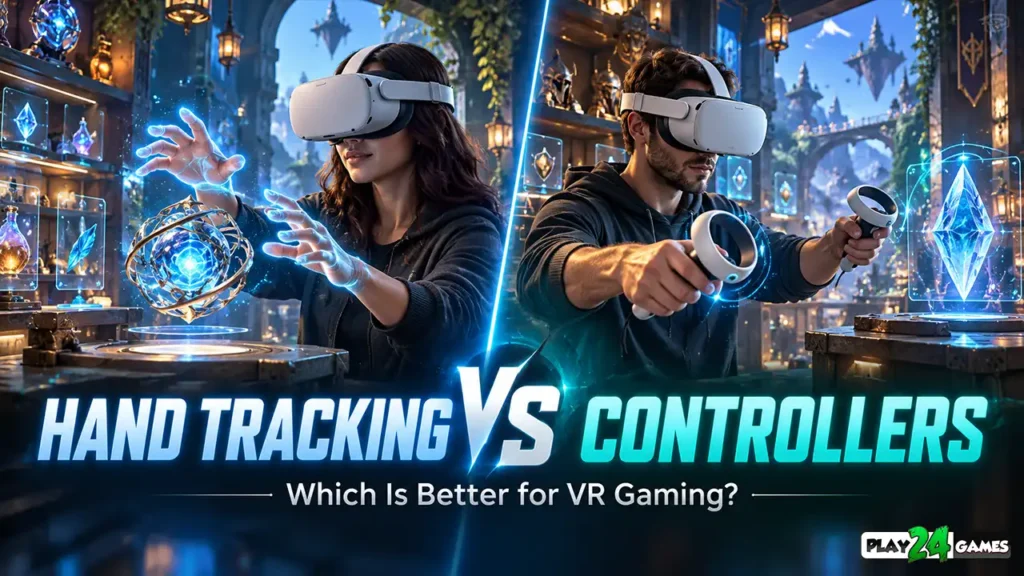
In this guide, we’ll compare Meta Quest hand tracking vs. controllers, explore their strengths and limitations, and explain which option may be more suitable for different VR gaming experiences.
1. What Is Hand Tracking on Meta Quest?
Hand tracking allows a VR headset to detect the position and movement of a player’s hands using its tracking cameras and software.
Instead of relying entirely on physical controller inputs, compatible applications can recognize hand poses and supported gestures.
How Does Hand Tracking Work?
The headset uses camera information to estimate the positions of your hands and fingers.
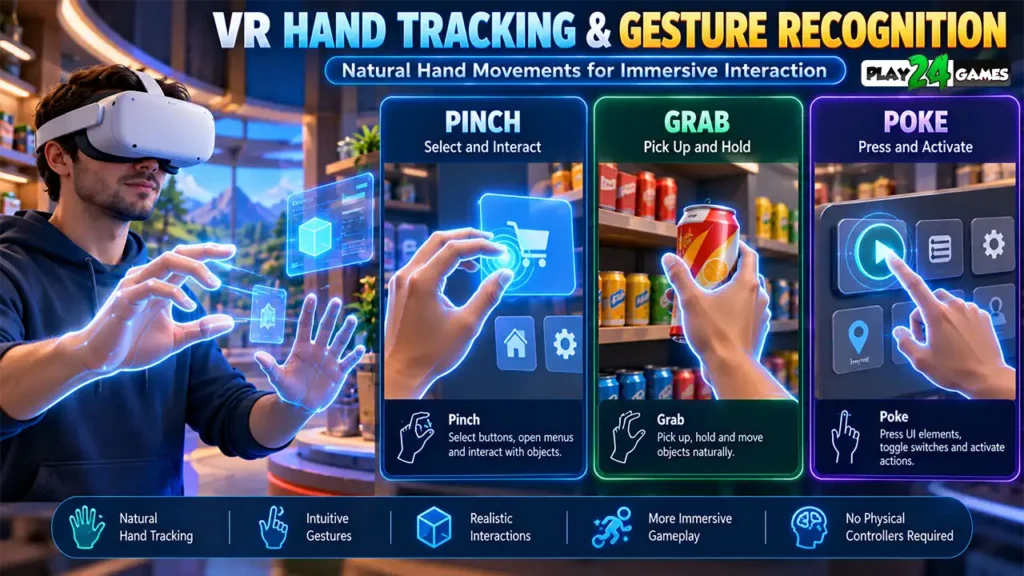
Applications can use this information to support actions such as pointing, selecting, grabbing, and interacting with virtual interfaces.
For example, a supported VR application might let you select a menu option by pinching your thumb and index finger together.
Another experience might allow you to reach toward a nearby object and manipulate it using a grabbing gesture.
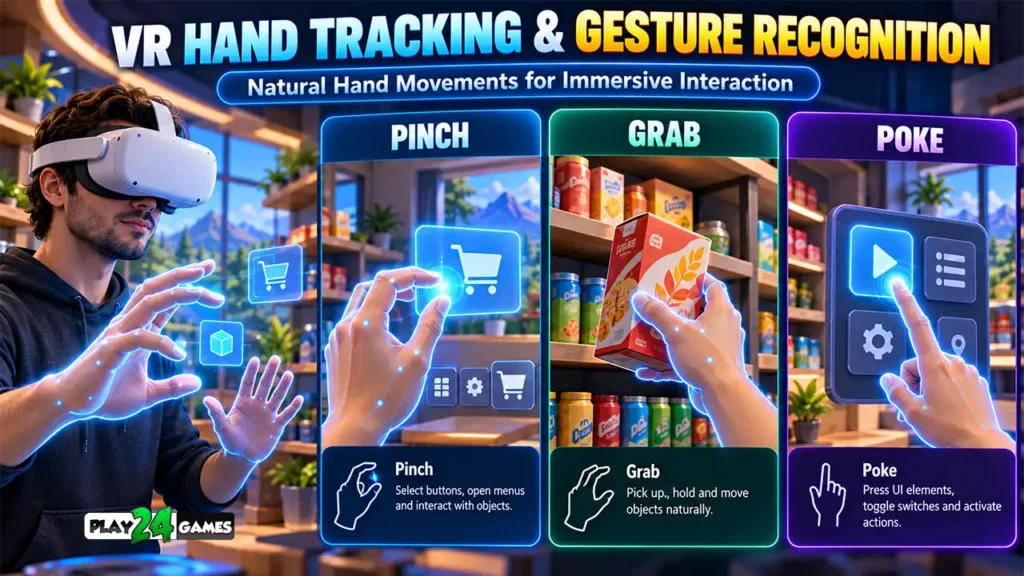
Meta’s official hand-interaction documentation describes several interaction methods, including pinch, poke, grab, and distance-based selection. Meta for Developers
Does Every Meta Quest Game Support Hand Tracking?
No.
Hand tracking is a platform capability, but individual games must implement appropriate support.
Some games require motion controllers.
Others support hand tracking as an alternative.
Certain applications may support both methods or allow them to be combined.
Always check the specific game’s supported input methods before assuming controller-free gameplay is available.
2. What Are Meta Quest Motion Controllers?
Motion controllers are physical devices that allow players to interact with virtual environments.
Depending on the headset model, controllers may include triggers, grip buttons, thumbsticks, and additional controls.
Their movement is tracked so that games can represent the player’s actions inside VR.
Why Are Controllers Useful?
Physical buttons provide clear inputs for different actions.
For example, a player might use one thumbstick to move through a virtual environment while using another to rotate their viewpoint.
A trigger could operate a tool, while a grip button could hold an object.
Controllers can also provide haptic feedback.
This means a game may produce a small vibration when a player grabs an item, activates a tool, or performs another supported action.
Why Physical Feedback Matters
Imagine picking up a virtual object.
With hand tracking, you may see your virtual fingers close around it, but you won’t physically feel the object.
With controllers, a vibration can provide confirmation that the interaction was recognized.
This doesn’t reproduce the actual weight or texture of the object, but it can make certain actions easier to understand.
Meta’s official controller guidance recommends using appropriate haptic feedback to communicate important interactions. Meta for Developers
3. Meta Quest Hand Tracking vs. Controllers: Main Differences
Both methods support immersive gameplay, but their practical strengths differ.
| Feature | Hand Tracking | Motion Controllers |
|---|---|---|
| Physical Equipment | No controller required | Requires compatible controllers |
| Interaction Method | Recognized hand movements and gestures | Buttons, triggers, thumbsticks, and tracked movement |
| Natural Hand Gestures | Strong advantage | Usually represented through controller inputs |
| Haptic Feedback | No physical controller vibration | Supported in compatible games |
| Fast-Paced Gameplay | Depends on tracking and game design | Often more suitable |
| Precise Button Inputs | Depends on gesture recognition | Dedicated physical controls |
| Object Interaction | Can feel natural for supported actions | Reliable button-based grabbing |
| Tracking Limitations | Sensitive to occlusion and lighting | Different limitations depending on controller hardware |
| Best Applications | Natural interaction, creative experiences, selected simulations | Action games, complex controls, precision-oriented gameplay |
These differences are general tendencies rather than universal rules.
A carefully designed hand-tracking game can provide excellent interaction quality, while a poorly implemented controller system can feel frustrating.
4. Which Is Better for VR Simulation Games?
Simulation games often involve interacting with familiar objects.
Players may organize products, operate equipment, decorate environments, or perform everyday tasks.
These activities create opportunities for both input methods.
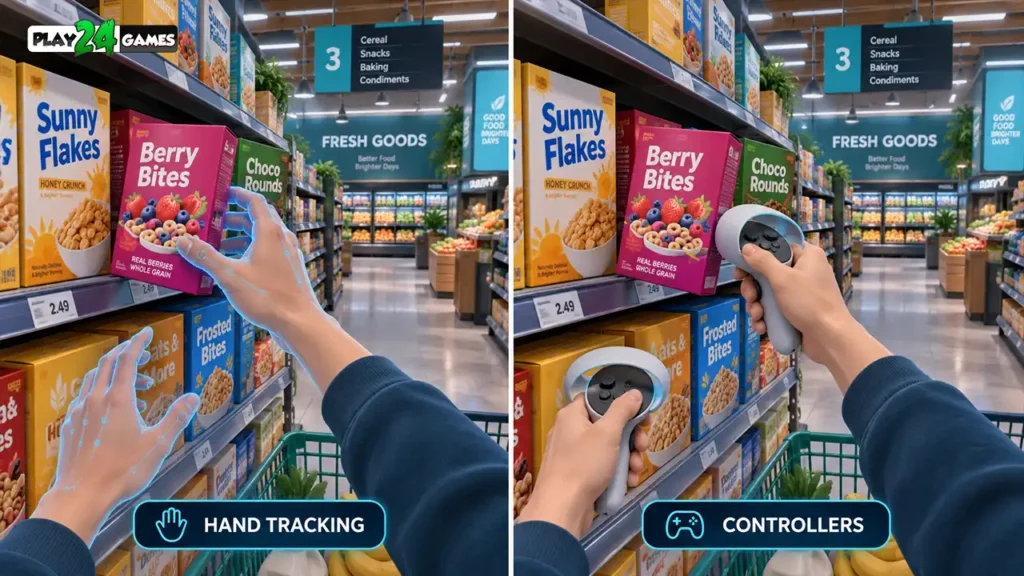
Hand Tracking for Natural Interaction
Imagine a virtual supermarket where players organize products.
Hand tracking could allow players to reach toward a box, close their fingers to grab it, and place it on a shelf.
This interaction resembles a familiar real-world action.
It can be particularly appealing when the experience focuses on nearby objects and deliberate movements.
Controllers for Repeated Tasks
Now imagine organizing dozens of products during a longer gameplay session.
Using physical grip buttons may feel more predictable for some players because the action doesn’t depend on a specific hand gesture being recognized.
Controllers can also make it easier to perform several inputs simultaneously.
For example, a player might move around the store using a thumbstick while holding an object.
Which Should You Choose?
For slow, close-range interactions, hand tracking can be appealing.
For complex movement, repeated grabbing, and interactions requiring multiple simultaneous inputs, controllers may offer practical advantages.
Meta’s hand-design guidance explains that natural hand interactions are well suited to direct object manipulation, while controllers often support simultaneous actions more effectively. Meta for Developers
5. Are Controllers Better for Action and Racing Games?
Action games often require rapid reactions and several control inputs.
Players may need to move, turn, aim, reload, and interact with objects within a short period.
Why Controllers Often Work Better
Dedicated thumbsticks and buttons provide immediate access to different actions.
For example, a VR shooting game might use a trigger for firing, a grip button for holding equipment, and thumbsticks for movement.
These controls can be easier to manage than replacing every action with a separate hand gesture.
What About Racing Games?
Racing games have different requirements.
Some VR racing experiences use traditional gamepads or supported steering-wheel setups, while others may use motion controllers.
Hand tracking could be used for certain cockpit interactions, but it isn’t automatically a suitable replacement for steering, acceleration, and braking controls.
The correct input method depends on how the game is designed.
Can Hand Tracking Support Fast Gameplay?
Yes, when the experience is specifically designed around it.
However, rapid movements and tracking limitations can make implementation more challenging.
Meta’s official guidance identifies movement speed, tracking conditions, and gesture recognition as important considerations for hand-based interaction. Meta for Developers
6. Why Does Meta Quest Hand Tracking Sometimes Lose Accuracy?
Hand tracking can feel impressive when it works smoothly.
However, players may occasionally notice that their virtual hands disappear, move incorrectly, or fail to recognize a gesture.
This doesn’t necessarily mean the headset is defective.
Several environmental and technical factors can affect tracking.
Poor Lighting
Hand tracking depends on camera information.
Insufficient lighting can make it harder for the headset to identify hand positions reliably.
Try using a reasonably well-lit indoor environment.
Avoid extremely dark rooms and challenging lighting conditions.
Hands Blocking Each Other
Tracking can become difficult when one hand covers another.
This is called occlusion.
For example, if you place one hand directly behind the other, the headset may have less information available to identify both hands.
Hands Outside the Tracking Area
The headset cannot reliably track every possible hand position.
If your hands move outside the cameras’ effective tracking area, the system may lose information.
Try keeping your hands within a comfortable, visible interaction area.
Very Fast Movements
Quick or unpredictable gestures can also make tracking more difficult.
When performing an action, use clear movements rather than repeatedly making extremely fast gestures.
Meta’s official tracking guidance identifies lighting, occlusion, and movement speed as important factors affecting hand-tracking reliability. Meta for Developers
7. How to Improve Hand Tracking While Playing VR
If a supported game isn’t recognizing your hand movements consistently, a few adjustments may help.
Improve the Environment
Start by checking the room lighting.
Make sure the headset’s tracking cameras aren’t obstructed.
Follow the manufacturer’s cleaning instructions if the cameras need attention.
Use Clear Gestures
When selecting something with a pinch gesture, bring your thumb and index finger together clearly.
Avoid unnecessarily complicated hand positions.
Keep Interactions Comfortable
Try not to hold your hands too close to the headset or far outside its tracking area.
If the game requires repeated reaching, take breaks when your arms become tired.
Check the Game’s Input Support
Some games use controller-driven virtual hands.
Seeing hands inside a game doesn’t necessarily mean it supports controller-free hand tracking.
Check the game’s settings, tutorials, or official description to confirm which input methods are available.
If tracking works in other compatible applications but fails consistently in one game, the issue may be related to that game’s interaction implementation.
8. Can You Use Hand Tracking and Controllers Together?
This is one of the more interesting developments in VR interaction.
Instead of requiring players to choose one method for an entire experience, supported applications can combine hand tracking with physical controllers.
What Is Multimodal Input?
Multimodal input allows compatible applications to recognize both hands and controllers within the same experience.
For example, a player might hold a controller in one hand while using the other hand for natural interactions.
Another experience could allow players to put their controllers down and continue interacting through supported hand gestures.
Why Is This Useful?
Imagine a virtual workshop.
A player could use a physical controller to operate a tool while using their free hand to interact with nearby objects.
This combines the physical controls and haptic feedback of a controller with the natural interaction of hand tracking.
Meta’s Unity documentation, updated October 7, 2026, describes simultaneous hand and controller tracking for supported Quest devices and applications. Meta for Developers
Does Every Quest Game Support Multimodal Input?
No.
Developers must implement the feature using compatible tools and configurations.
Its availability depends on the headset, application, and software implementation.
Players shouldn’t assume that a game supports simultaneous input simply because it supports controllers and hand tracking separately.
9. Which Input Method Is Better for Beginners?
There isn’t one perfect answer.
Some new VR players find hand tracking easier because it resembles real-world interaction.
Others prefer controllers because physical buttons provide clearer feedback.
When Hand Tracking May Be Easier
Hand tracking can feel approachable when the game uses familiar actions.
For example, reaching toward an object and grabbing it may require less explanation than remembering several controller buttons.
However, unfamiliar gestures and inconsistent tracking can create their own learning challenges.
When Controllers May Be Easier
Controllers can be useful when a game requires movement, turning, and multiple actions.
Once players understand the button layout, repeated interactions may become easier to perform.
Start With the Game’s Recommended Controls
If you’re new to VR, begin with the input method recommended by the game.
Complete its introductory tutorial and practice the basic interactions.
You can also read our Meta Quest VR beginner’s guide for additional information about headset setup, comfort, and gameplay controls.
10. How Input Methods Affect VR Game Design
Hand tracking and controllers aren’t simply interchangeable ways to press the same virtual buttons.
They can influence how developers design an entire experience.
Interaction Distance Matters
Hand tracking often works well when players interact with objects close to them.
Controllers can support both direct grabbing and distant selection through virtual pointers.
Feedback Matters
When using controllers, vibration can confirm that an action occurred.
With hand tracking, games may rely more heavily on visual changes, animation, and sound.
Accessibility Matters
Players have different physical abilities, preferences, and comfort requirements.
Providing suitable interaction alternatives can make an experience more approachable.
Meta’s September 9, 2026 guidance emphasizes that adapting a controller-based game to hand tracking requires more than simply replacing buttons with gestures. Developers should reconsider interaction design, target sizes, and tracking recovery. Meta for Developers
For players, this explains why two VR games can feel very different even when they support similar hardware.
11. Hand Interaction in Play24Games VR Projects
At Play24Games, we’re expanding our gaming portfolio with immersive VR experiences alongside traditional mobile games.
Our announced projects include simulation concepts designed around interacting with virtual environments.
Cosplay Shop Simulator VR
Our announced Cosplay Shop Simulator VR project focuses on managing an anime-inspired cosplay shop.
The concept includes organizing merchandise, interacting with products, and managing store activities inside an immersive environment.
Bakery Supermarket Simulator VR
Our Bakery Supermarket Simulator VR project explores bakery and supermarket management through virtual reality.
The planned experience includes activities such as organizing products, stocking shelves, and interacting with merchandise.
These concepts illustrate why clear object interaction is important in VR simulation design.
Release note: These descriptions reflect previously announced projects. Final controller support, hand-tracking features, compatibility, and release availability should be confirmed through official game information.
Explore our VR games collection for current project information.
12. How to Choose the Right VR Controls for Your Game
The best input method depends on what you want to do.
If you’re exploring a relaxed environment and interacting with nearby objects, hand tracking may provide an appealing experience.
If you’re playing a fast-paced action game, operating complex equipment, or performing multiple actions simultaneously, physical controllers may be more practical.
For some experiences, combining both approaches may provide additional flexibility.
Before starting a new game, check its supported input methods, complete the control tutorial, and experiment with available settings.
Most importantly, choose controls that feel understandable, responsive, and comfortable for you.
Common Meta Quest Input Mistakes to Avoid
A common mistake is assuming that every Quest game supports controller-free hand tracking.
Another is expecting virtual hands to provide the same physical feedback as real objects.
Players may also overlook the importance of suitable lighting when using hand tracking.
Trying to perform complicated gestures outside the headset’s tracking area can lead to frustration.
Finally, don’t assume that the newest input method is automatically the best option for every game.
Good VR controls are defined by how well they support the gameplay—not simply by whether they use controllers or hands.
Conclusion
Hand tracking and motion controllers offer different ways to experience virtual reality.
Hand tracking can make supported interactions feel natural by allowing players to use their actual fingers and hand movements.
Motion controllers provide physical inputs, haptic feedback, and practical advantages for games requiring complex or simultaneous actions.
Neither approach replaces the other in every situation.
The best experience comes from choosing an input method that matches the game’s design and your personal preferences.
As VR technology continues to develop, experiences that thoughtfully combine different input methods may provide players with greater flexibility.
For more VR gaming insights, project announcements, and upcoming experiences, visit Play24Games News.
Frequently Asked Questions
1. Is Meta Quest hand tracking better than controllers?
Hand tracking can be appealing for natural interactions, such as grabbing nearby objects or selecting virtual interfaces. Controllers are often more suitable for complex actions, precision-oriented gameplay, and games requiring several simultaneous inputs.
2. Can I play every Meta Quest game without controllers?
No. Individual games must support hand tracking. Some applications require motion controllers, while others offer controller-free interaction or multiple input options.
3. Why does Meta Quest hand tracking stop working sometimes?
Possible causes include poor lighting, hands blocking each other, movements outside the tracking area, or gestures that aren’t recognized. Improving the environment and using clearer gestures may help.
4. Can Meta Quest track hands and controllers at the same time?
Supported Quest applications can use multimodal input to combine hand and controller tracking. However, this capability must be implemented by the developer and isn’t available automatically in every game.
5. Which controls are best for VR simulation games?
It depends on the gameplay. Hand tracking can work well for deliberate, close-range interactions, while controllers may be preferable for navigation, repeated tasks, and complex controls. Some simulations may benefit from supporting both.

[…] For a broader comparison, read our Meta Quest Hand Tracking vs Controllers Guide. […]