
VR Amusement Park Games: 7 Essential Tips for Fun Rides
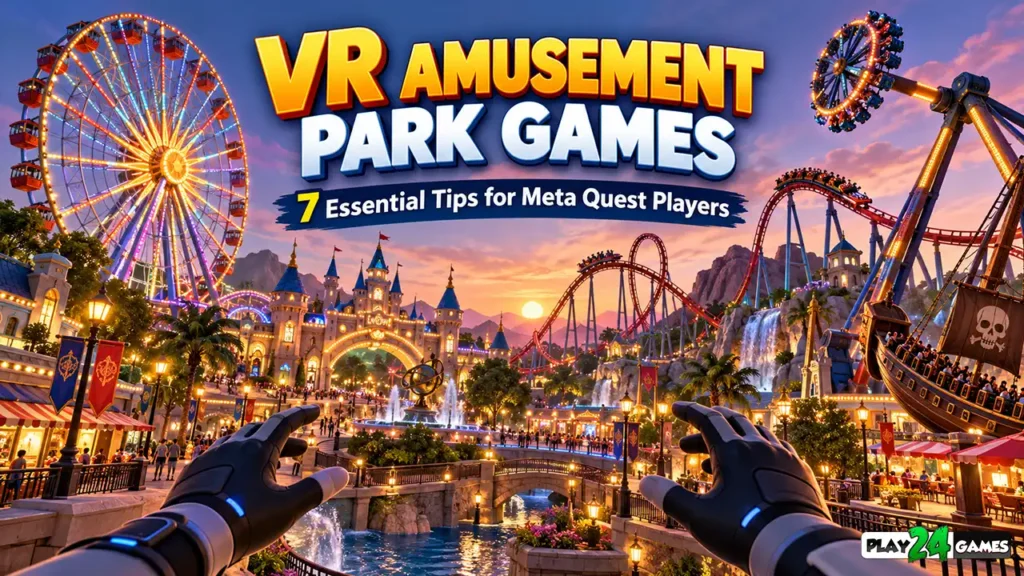
Imagine standing in front of a giant Ferris wheel.
You look upward and watch its colorful cabins moving through the sky.
Nearby, a roller coaster twists around a track while a pirate ship swings back and forth.
You decide which attraction to experience first.
But instead of standing inside a real amusement park, you’re wearing a virtual reality headset at home.
This is the appeal of VR amusement park games.
Virtual reality allows players to experience simulated attractions from a first-person perspective, creating a different kind of entertainment from traditional mobile or PC games.
Rather than watching a roller coaster on a flat screen, players can look around the virtual environment as the ride moves.
Modern standalone VR headsets have also made these experiences more accessible to people who don’t own gaming PCs.
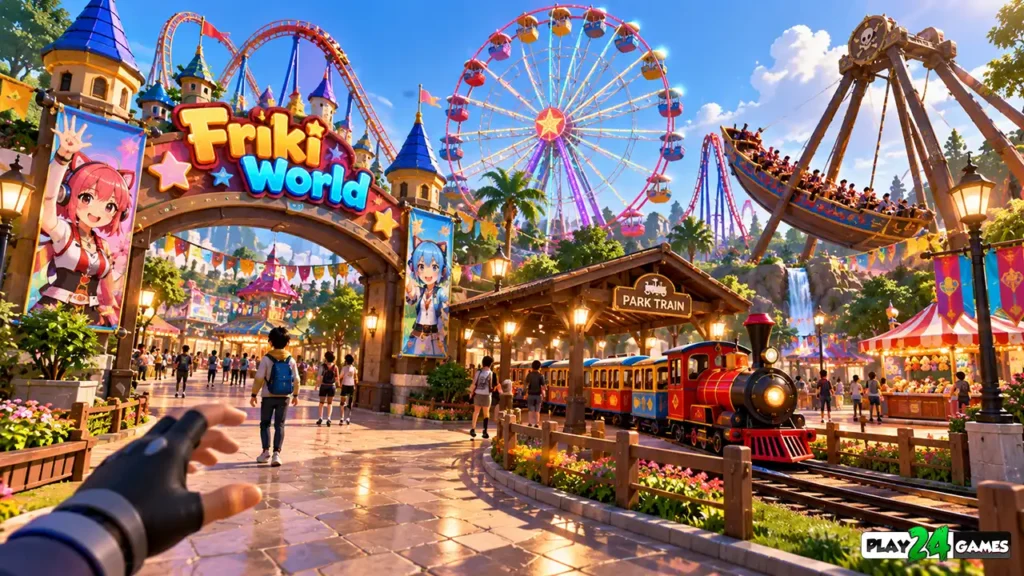
For example, Play24Games’ Store Simulator Cosplay Shop on Meta Quest includes an amusement park area called Friki World.
According to the official store description, players can travel there by train and experience attractions including a roller coaster, Ferris wheel, pirate ship, and pendulum ride.
The game also includes ride-related spending and adjustable ride settings. Meta
Whether you’re discovering virtual amusement parks for the first time or exploring a new VR attraction, these seven tips will help you understand the experience and make more informed gameplay choices.
1. Understand What VR Amusement Park Games Offer
Traditional amusement park games usually focus on building attractions, managing visitors, or controlling a theme park from above.
Virtual reality introduces another possibility.
Instead of managing every activity from a distant camera, players can experience the park from within the environment.
How Virtual Reality Changes Theme Park Gameplay
In a conventional game, riding a roller coaster might involve watching a first-person animation on a monitor.
In VR, the headset tracks the player’s head orientation and updates the view accordingly.
Looking left reveals the surrounding environment.
Looking upward may reveal the structure of the ride.
Turning your head can change what you see while the virtual attraction moves along its programmed path.
This head-tracked perspective can make the experience feel more spatial and immediate.
Different Types of Virtual Amusement Park Experiences
Not every VR amusement park game follows the same design.
Some focus on individual rides.
Others combine several attractions within one environment.
A simulation game might also include activities such as exploring themed locations, earning virtual currency, or unlocking additional entertainment.
The exact features depend on the game.
For players, the important distinction is whether they want a collection of virtual rides, a management simulator, or a combination of both.
2. Explore Different Virtual Rides Before Choosing Your Favorite
One of the enjoyable aspects of a virtual amusement park is the variety of attractions.
Different rides create different visual experiences.
Some emphasize height and scenery.
Others focus on rapid movement, swinging motion, or changes in direction.
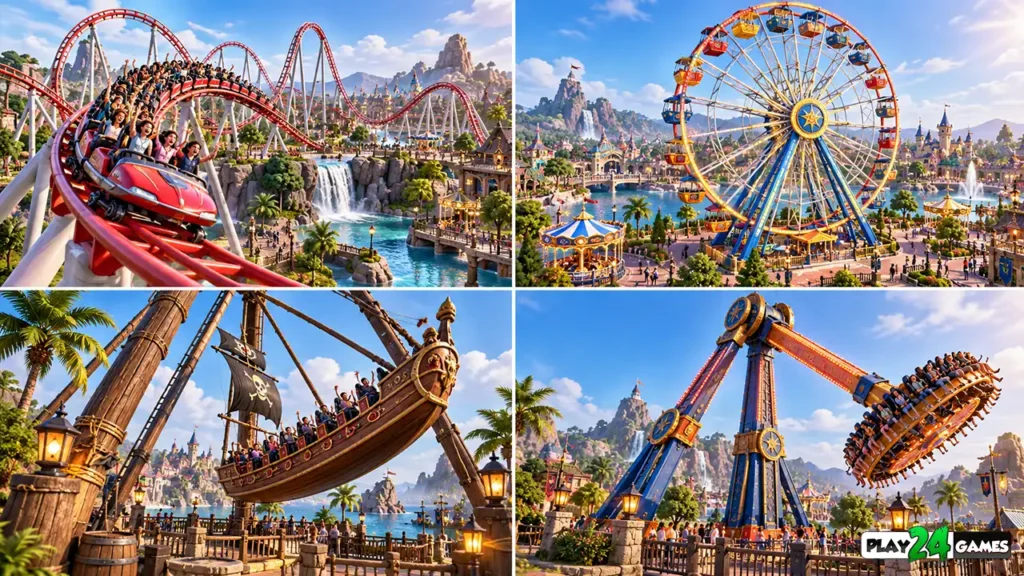
VR Roller Coaster
A virtual roller coaster can recreate the visual experience of traveling along a winding track.
Players may see steep climbs, sudden descents, curves, and surrounding scenery.
The headset’s first-person perspective allows players to look around while the simulated vehicle follows its path.
However, rapid artificial movement can cause discomfort for some people.
New VR players should approach intense roller coaster experiences cautiously.
VR Ferris Wheel
A Ferris wheel provides a different type of virtual attraction.
Rather than focusing primarily on rapid movement, it typically emphasizes elevation and views of the surrounding environment.
This can make it appealing to players interested in sightseeing within a virtual world.
However, individual implementations vary, and even slower virtual motion may be uncomfortable for some users.
VR Pirate Ship
A pirate ship attraction simulates the movement of a large swinging ride.
The changing viewpoint can create a distinctive sensation of forward and backward motion.
In virtual reality, the experience depends on how the game’s camera and ride movement are implemented.
VR Pendulum Ride
A pendulum ride introduces another form of movement.
Depending on the attraction’s design, the simulated experience may involve swinging, rotation, or both.
Players interested in visually intense attractions may find this type of ride appealing.
Which Attractions Are Available in Friki World?
The official listing for Store Simulator Cosplay Shop identifies four named attractions:
| Attraction | General Experience |
|---|---|
| Roller Coaster | Track-based movement, turns, and elevation changes |
| Ferris Wheel | Elevated views and rotating cabin movement |
| Pirate Ship | Swinging ride simulation |
| Pendulum Ride | Pendulum-style motion and changing viewpoints |
The listing also mentions additional attractions without naming all of them.
Players should check the current game version for the complete selection and available ride controls. Meta
3. Learn How Friki World Connects to Store Simulator Cosplay Shop
An interesting aspect of Friki World is that it exists within a broader simulation game.
Friki World is not presented as a separate standalone Meta Quest title.
It is an amusement park area included in Store Simulator Cosplay Shop.
From Shop Management to Virtual Entertainment
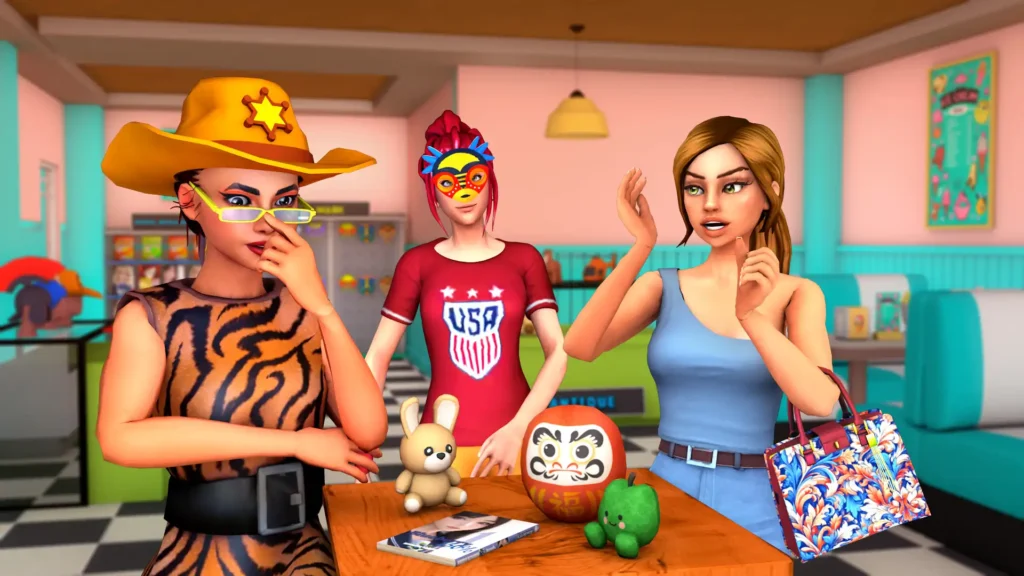
The main game focuses on operating an anime-inspired cosplay store.
Players can manage merchandise, organize shelves, customize the shop, and work toward business progression.
Its official description includes products such as masks, wigs, clothing, figurines, manga, plushies, and other collectibles.
Friki World introduces a different activity within that experience.
Instead of focusing entirely on store management, players can travel to an amusement park and enjoy virtual attractions.
Traveling to the Park
The official store description states that players can travel to Friki World by train.
This gives the amusement park a connection to the broader game world.
The precise navigation and interaction steps should be confirmed in the current game build.
Why Combining Different Activities Can Be Interesting
Simulation games often benefit from giving players different types of objectives.
A shop-management session may focus on inventory, organization, and business decisions.
An amusement park visit introduces exploration and entertainment.
These activities create contrasting gameplay experiences within the same virtual world.
For a broader explanation of shop-management gameplay, read our VR Shop Simulator Games on Meta Quest guide.
4. Manage Your In-Game Currency Before Visiting Attractions
Some simulation games connect recreational activities with their progression systems.
This can give players a reason to consider how they spend virtual resources.
Friki World’s official description states that players use in-game cash to access amusement park rides.
Why In-Game Spending Matters
Imagine earning virtual currency through a shop-management activity.
You may have several possible uses for that money.
Depending on the game, spending decisions might involve business improvements, decorative items, or entertainment activities.
When attractions require in-game currency, players should consider their current priorities.
Check Ride Costs
Before selecting an attraction, review its displayed cost.
Different rides may have different prices or conditions.
The official description does not provide a complete ride-price table, so players should check the current version rather than relying on assumed costs.
Balance Progression and Entertainment
Some players enjoy focusing on efficient business management.
Others prefer exploring and experimenting with available activities.
Neither approach is automatically better.
A practical strategy is to understand your current objectives before spending virtual currency.
This can help you enjoy the amusement park without losing track of the broader simulation experience.
5. Experiment With Ride Speed and Duration Settings
Customization can make virtual attractions more interesting.
In a traditional amusement park, visitors generally experience a ride according to its real-world operating program.
Virtual rides can provide different levels of control when developers choose to implement them.
Adjustable Ride Speed
The Friki World description mentions adjustable ride speed.
This suggests that players can influence the pace of supported attractions.
However, the available controls and speed ranges may differ between rides.
Players should inspect the in-game interface to understand which settings apply to each attraction.
Adjustable Ride Duration
The official description also mentions ride-duration adjustment.
This can be useful for players who want to experiment with different session lengths.
For example, someone exploring a virtual park may prefer a shorter experience before moving to another attraction.
Start With Comfortable Settings
If a ride offers speed customization, consider beginning with a less intense setting.
Observe how you feel before increasing the movement intensity.
Don’t assume that a slower setting will eliminate discomfort.
Virtual motion can affect people differently.
Meta’s official documentation explains that roller coasters and other path-based VR experiences use artificial locomotion, where visual movement may occur without matching physical movement. Meta for Developers
6. Prepare for a Comfortable VR Amusement Park Experience
Comfort is especially important when exploring VR amusement park games.
Unlike ordinary games, virtual reality places moving imagery directly within the headset’s immersive field of view.
Understand Why VR Rides Can Feel Intense
Your eyes may see a virtual vehicle moving rapidly.
However, your body remains in the physical room.
This difference between visual motion and physical balance signals can contribute to motion discomfort.
Meta’s locomotion guidance describes this visual-vestibular mismatch as an important consideration in VR experience design. Meta for Developers
Prepare Your Physical Play Area
Before starting:
- Remove nearby obstacles and loose cables.
- Check that your headset’s boundary is configured appropriately.
- Keep people and pets away from your immediate play area.
- Choose a stable, comfortable position supported by the game.
- Avoid unnecessary physical movement while experiencing simulated rides.
Meta explains that Quest boundary features can help players recognize the limits of their physical play space. However, a boundary is not a substitute for maintaining a clear environment. Meta
Take Breaks When Necessary
If you experience dizziness, nausea, eyestrain, or disorientation, stop playing and remove the headset.
Do not continue an intense virtual ride simply to complete it.
Players should resume only after they feel comfortable.
Avoid Overestimating Your VR Experience
Being comfortable in a stationary VR shop doesn’t necessarily mean you’ll feel equally comfortable on a virtual roller coaster.
Different movement patterns can produce different reactions.
For additional preparation advice, read our Meta Quest VR Beginner’s Guide.
7. Choose VR Amusement Park Games That Match Your Interests
The best virtual amusement park experience depends on what you enjoy.
Some players prefer scenic attractions.
Others want visually intense rides.
Some enjoy combining virtual entertainment with broader simulation or progression systems.
Consider the Available Attractions
Review the game’s official description and gameplay footage.
Look for the types of experiences that interest you.
If you prefer sightseeing, an attraction centered on elevated views may be appealing.
If you enjoy faster simulated movement, a roller coaster may be more interesting.
Check Supported Headsets
Before purchasing a Meta Quest title, verify that it supports your specific headset model.
Also confirm whether the game runs directly on the headset or requires a connected gaming PC.
Store Simulator Cosplay Shop is listed on the Meta Quest storefront, but supported-device details should always be checked on its current product page.
Review the Release Status
The official Meta Quest listing currently identifies Store Simulator Cosplay Shop as an Early Access experience.
This means players should review the current description and available information rather than assuming that every planned feature is already finalized.
Availability, pricing, and supported functionality may change over time. Meta
Explore the Game Before Making Assumptions
Screenshots and trailers can help communicate an experience, but they don’t explain every interaction.
Review the current store description, available gameplay footage, and supported features.
This is particularly important for VR games because comfort, controls, and movement systems can influence the overall experience.
VR Amusement Park Games vs. Traditional Theme Park Games
Both formats can provide entertaining simulation experiences.
However, they emphasize different types of interaction.
| Feature | Traditional Theme Park Games | VR Amusement Park Games |
|---|---|---|
| Display | Monitor or mobile screen | Immersive headset |
| Camera | Fixed, third-person, or first-person | Head-tracked perspective |
| Ride Experience | On-screen simulation | Immersive first-person simulation |
| Interaction | Keyboard, mouse, controller, or touch | Supported VR controllers or other VR inputs |
| Physical Play Space | Usually minimal | Requires appropriate VR play area |
| Comfort Considerations | Conventional screen comfort | Headset fit, motion comfort, and spatial awareness |
| Gameplay Focus | Often management or construction | May emphasize rides, exploration, or management |
Neither format is automatically superior.
Traditional games can be more convenient for players who prefer screen-based entertainment.
Virtual reality offers a different way to experience spatial environments and simulated attractions.
The right choice depends on individual preferences.
Common Mistakes to Avoid in VR Amusement Park Games
Starting With the Most Intense Attraction
New VR players may be tempted to begin with a fast roller coaster.
However, starting with a less intense experience can provide an opportunity to become familiar with the headset and virtual environment.
Ignoring Ride Settings
When a game provides adjustable speed or duration, players should review those settings before beginning an attraction.
Forgetting the Physical Environment
A virtual amusement park may feel spacious, but the player is still located in a real room.
Always remain aware of physical safety boundaries.
Assuming Every VR Game Supports the Same Controls
Some games support motion controllers, while others may offer hand tracking or additional interaction methods.
Check the specific title’s supported input options.
Expecting Every Ride to Feel Like a Real Attraction
Virtual reality can simulate the visual experience of movement.
However, it does not reproduce every physical force associated with a real roller coaster or swinging ride.
The experience is different, and individual reactions vary.
What Makes Friki World Interesting for Simulation Game Fans?
Friki World adds amusement park activities to an existing virtual shop-management experience.
This combination is relevant to players who enjoy more than one type of simulation gameplay.
The main game focuses on managing an anime-inspired retail environment.
Its amusement park area introduces a separate form of entertainment involving virtual attractions.
According to the current official listing, players can travel to the park by train, spend in-game currency on rides, and use adjustable ride settings.
The listed attractions include familiar amusement park experiences such as a Ferris wheel, roller coaster, pirate ship, and pendulum ride.
For players who enjoy casual VR simulations, this creates an opportunity to explore different activities within the same game.
You can learn more through the official Store Simulator Cosplay Shop Meta Quest page.
Conclusion
VR amusement park games offer an immersive way to experience virtual attractions from a first-person perspective.
From scenic Ferris wheel rides to visually intense roller coasters, these games can provide different forms of entertainment for Meta Quest players.
However, the experience isn’t only about visual excitement.
Comfortable settings, safe play spaces, clear controls, and thoughtful gameplay choices are equally important.
Friki World, included within Store Simulator Cosplay Shop, illustrates how amusement park activities can become part of a broader simulation experience.
Players can explore a virtual entertainment destination while continuing to engage with the game’s shop-management systems.
At Play24Games, we develop mobile and virtual reality games designed around interactive entertainment.
Explore our VR games collection to learn more about our Meta Quest projects and available experiences.
Frequently Asked Questions
What are VR amusement park games?
VR amusement park games are virtual reality experiences featuring simulated theme park attractions. Depending on the title, players may experience roller coasters, Ferris wheels, swinging rides, or broader amusement park activities from an immersive perspective.
Can I experience a virtual roller coaster on Meta Quest?
Yes. Compatible Meta Quest games can include simulated roller coaster attractions. For example, the official Store Simulator Cosplay Shop listing identifies a roller coaster within its Friki World amusement park area.
What is Friki World in Store Simulator Cosplay Shop?
Friki World is an amusement park area included in Store Simulator Cosplay Shop. The official listing describes train travel to the park, several virtual rides, in-game spending, and adjustable ride settings.
Can VR amusement park rides cause motion sickness?
Yes. Some players experience discomfort when virtual movement doesn’t match their physical movement. Start cautiously, use available comfort settings, and stop immediately if you feel unwell.
Is Friki World a separate Meta Quest game?
No. The current official listing presents Friki World as an amusement park feature within Store Simulator Cosplay Shop rather than a separate standalone game.